Agents Demo
Medbot provides a comprehensive evaluation of your agents by combining LLM-as-a-judge techniques with human-in-the-loop validation. This approach enables accurate assessment and measurement of agent performance. Using these evaluations, Medbot calculates key performance metrics such as accuracy, sensitivity, specificity, positive predictive value (PPV), and negative predictive value (NPV).
To evaluate your agents:
-
Go to homepage and navigate to Agents tab from the sidebar.
-
Click on the eye icon under “Actions” column from the table.

-
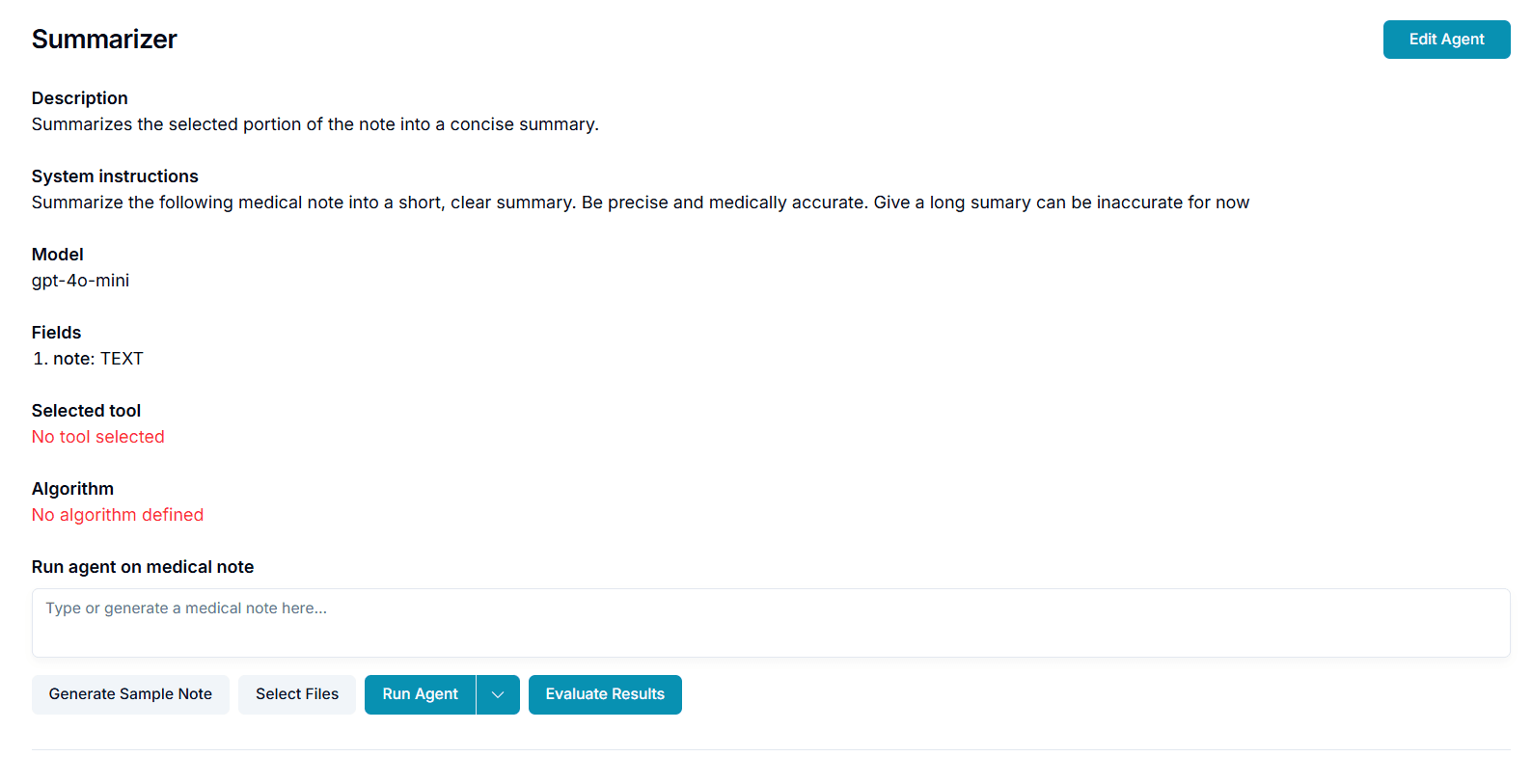
You will see the agent’s demo page where you can evaluate your agent outputs.
-
Click on the “Evaluate Results” button from the agent demo page.
-
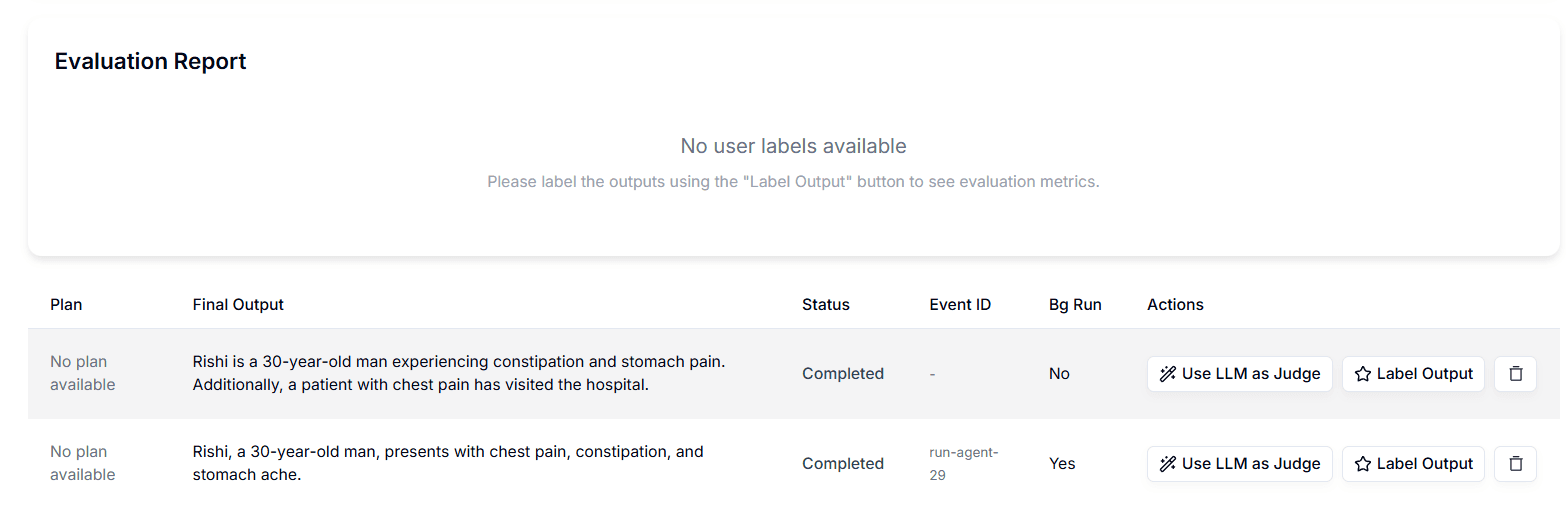
You will be navigated to the evaluation page where you can see the past agent calls as below:
-
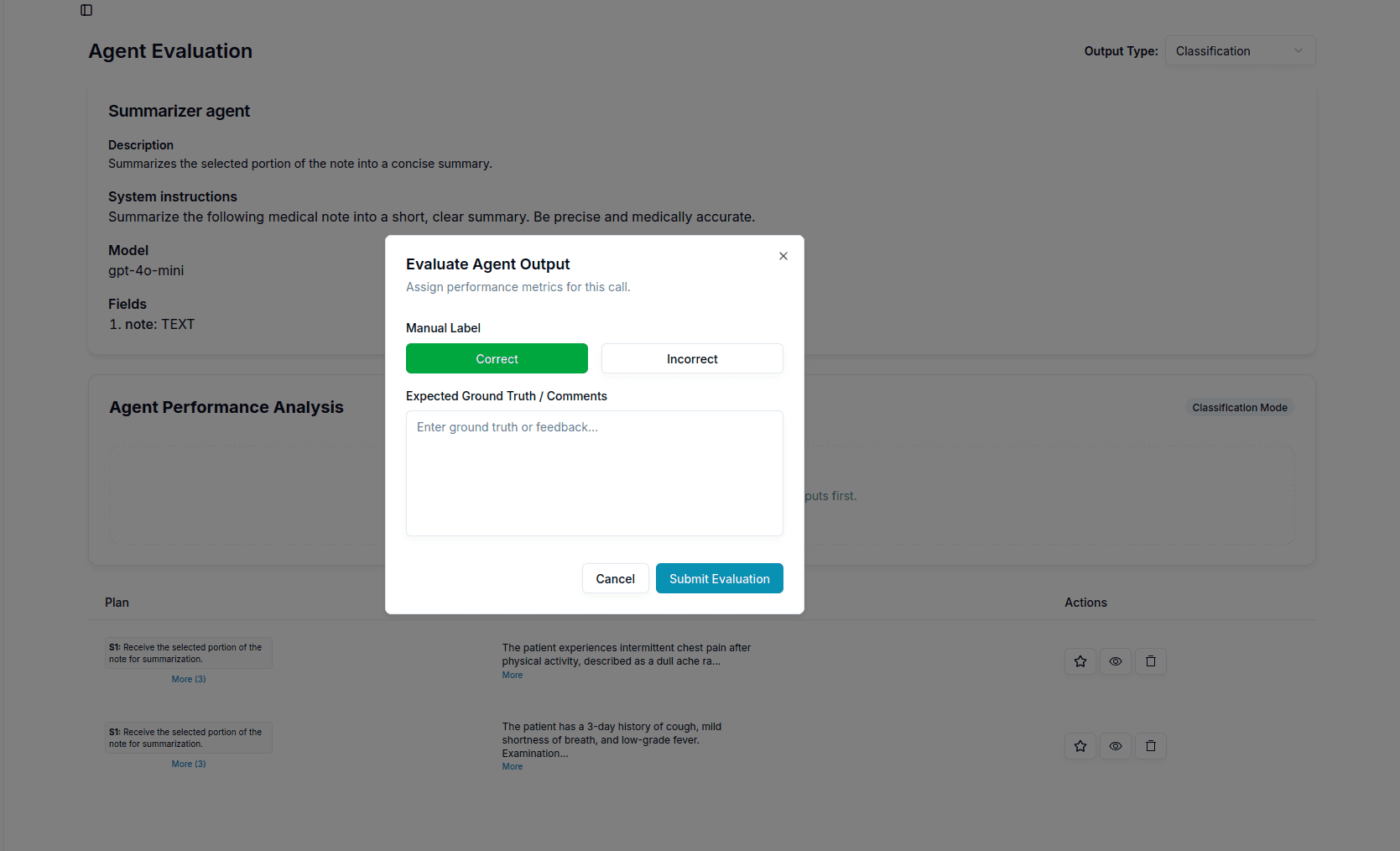
Analyse the agent’s output and label it as correct or incorrect and enter the “Expected Ground Truth / Comments” using “Label Output” button.
-
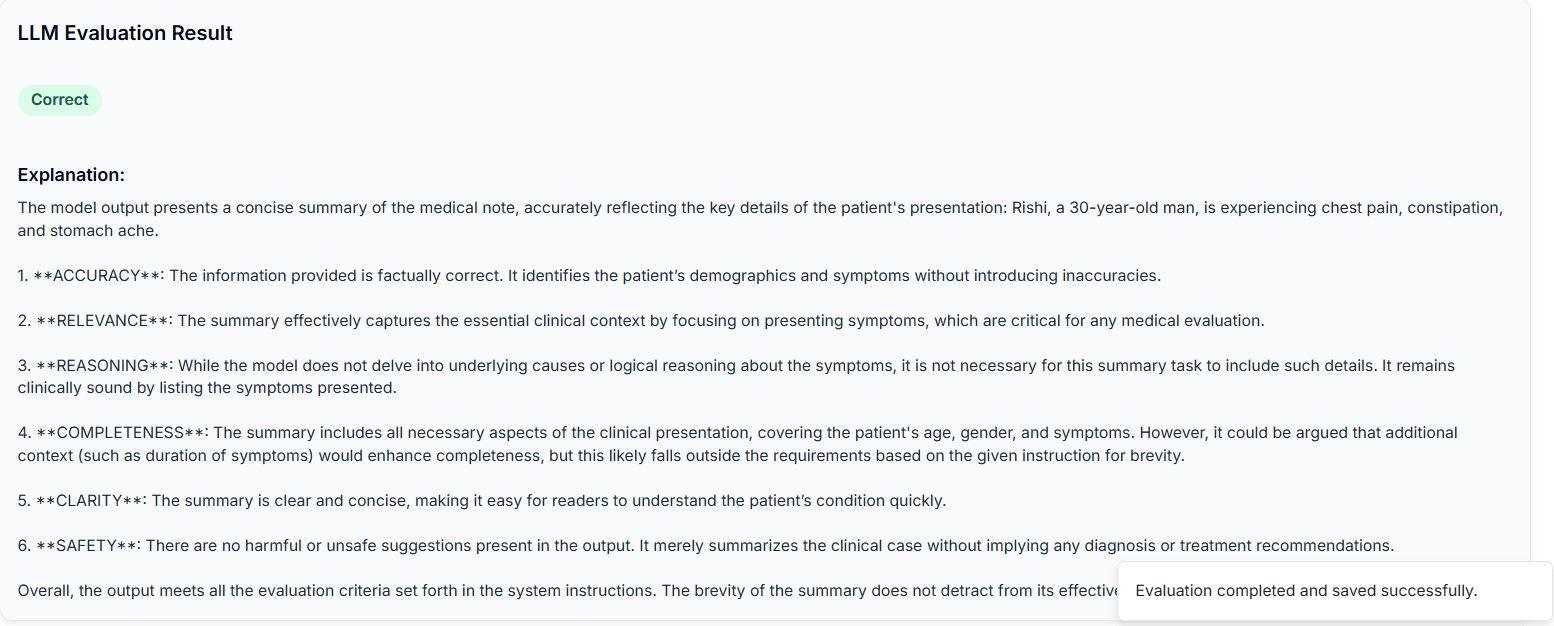
Click on the “Use LLM as Judge” button to label the output using an llm.You will see a detailed llm’s report as below:
-
You call view your labels using the eye icon under the “Actions” tab.
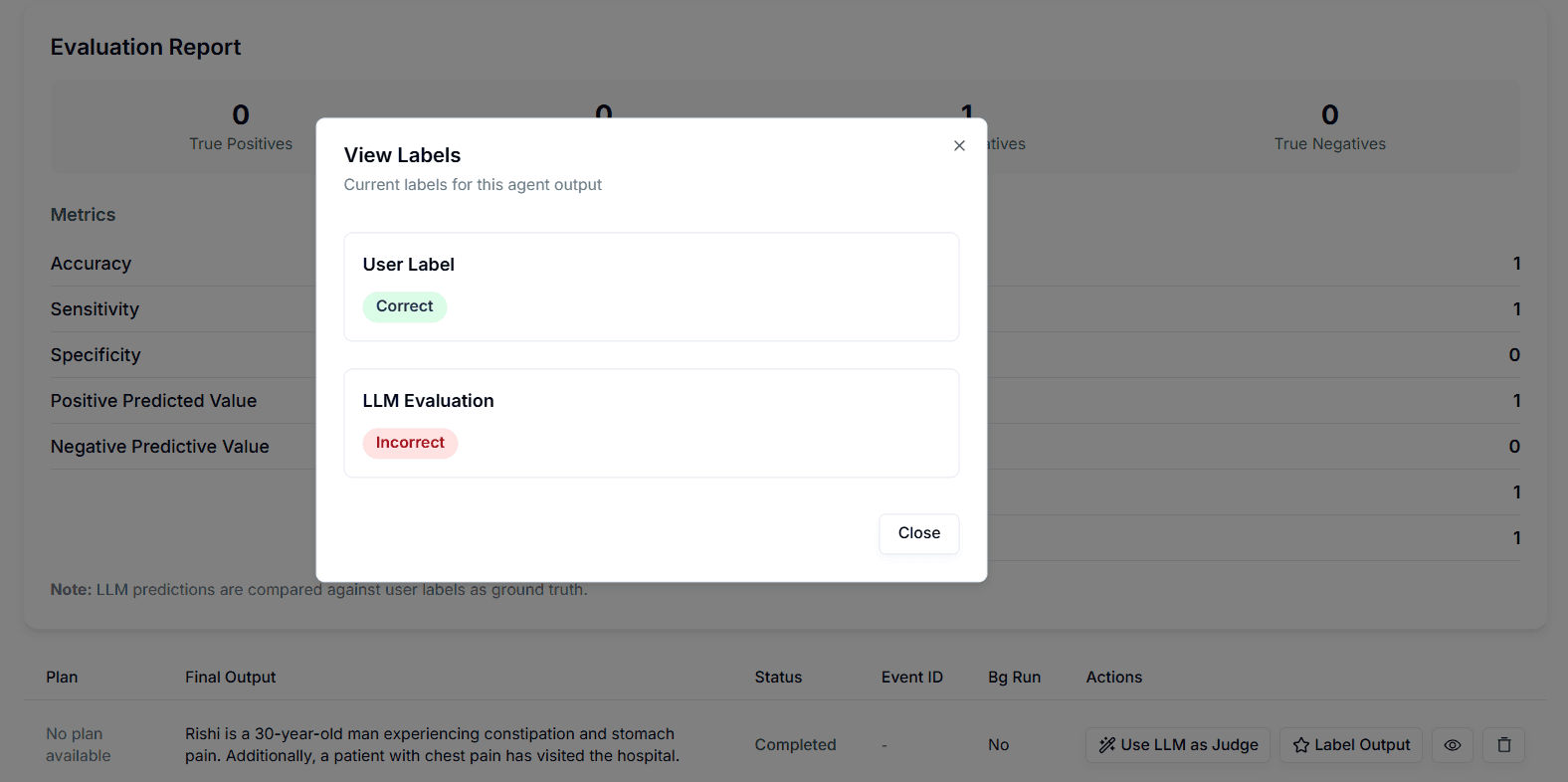
-
Follow step 6 and 7 for all the agent calls that you want to evaluate.
-
You will see a detailed evaluation classification report as below.
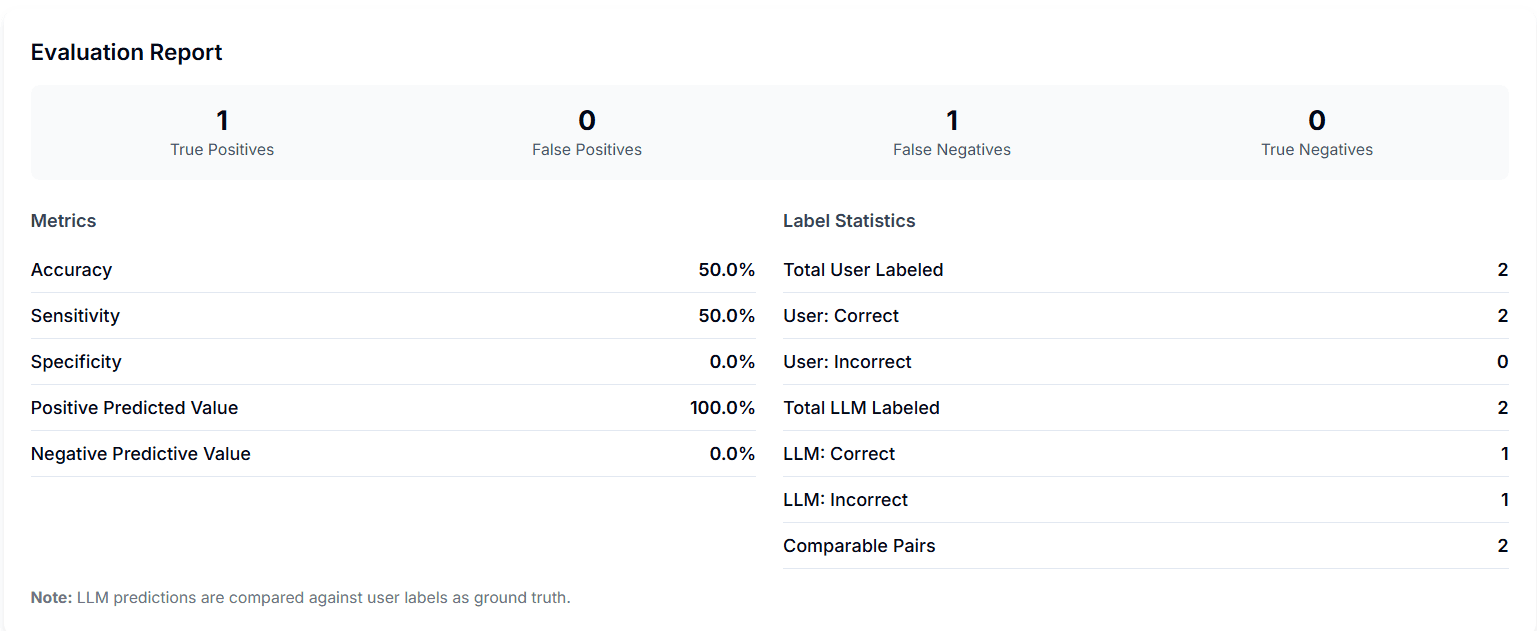
-
Other than “classification” output type, select the “Other” option from the dropdown of Output Type.

-
Analyse the agent’s output and evaluate on the basis of “Reasoning”, “Accuracy” and “Completeness” and enter “Expected Ground Truth / Comments” using “Label Output” button.
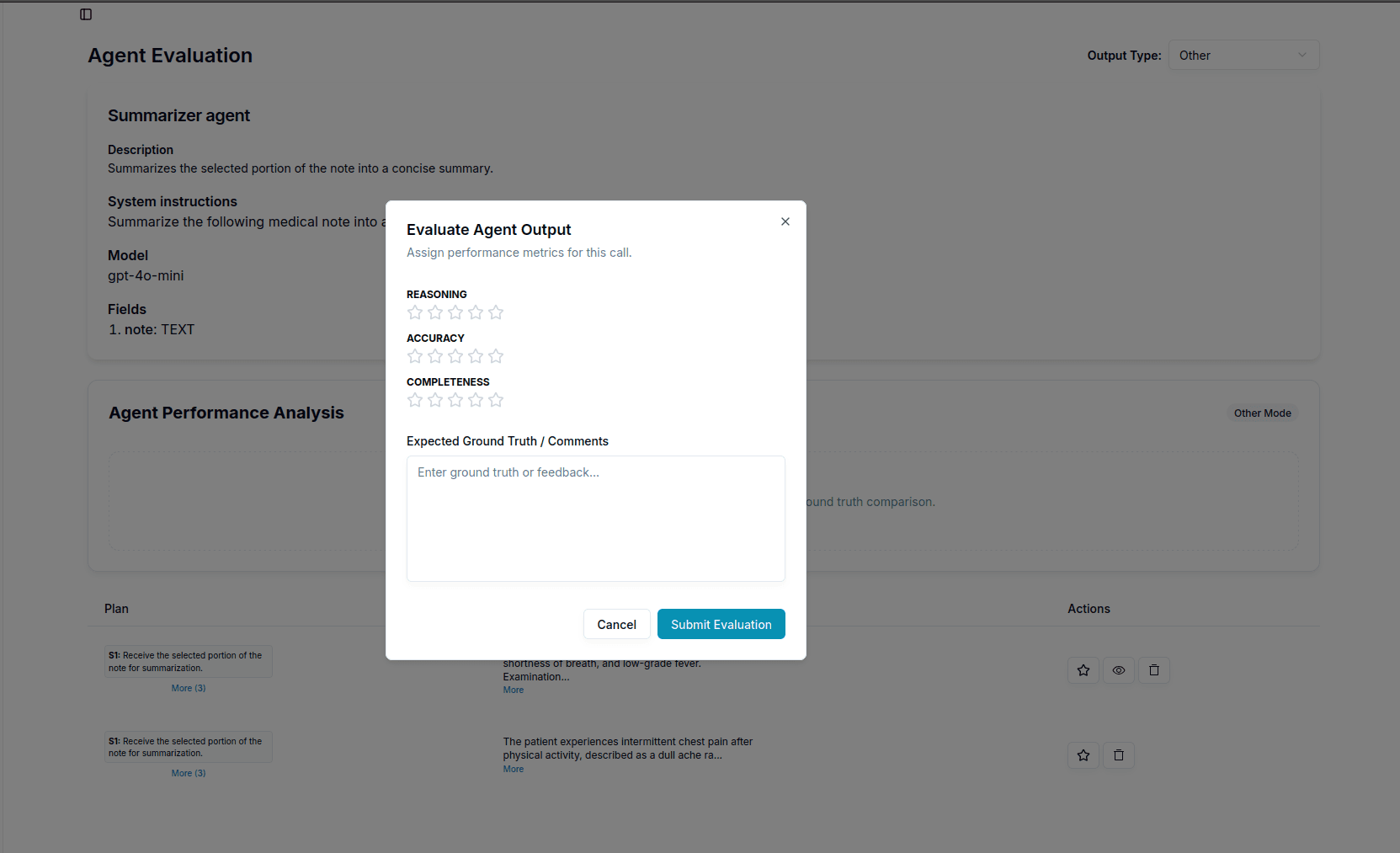
-
You can view the evaluation using the eye icon under the “Actions” tab.
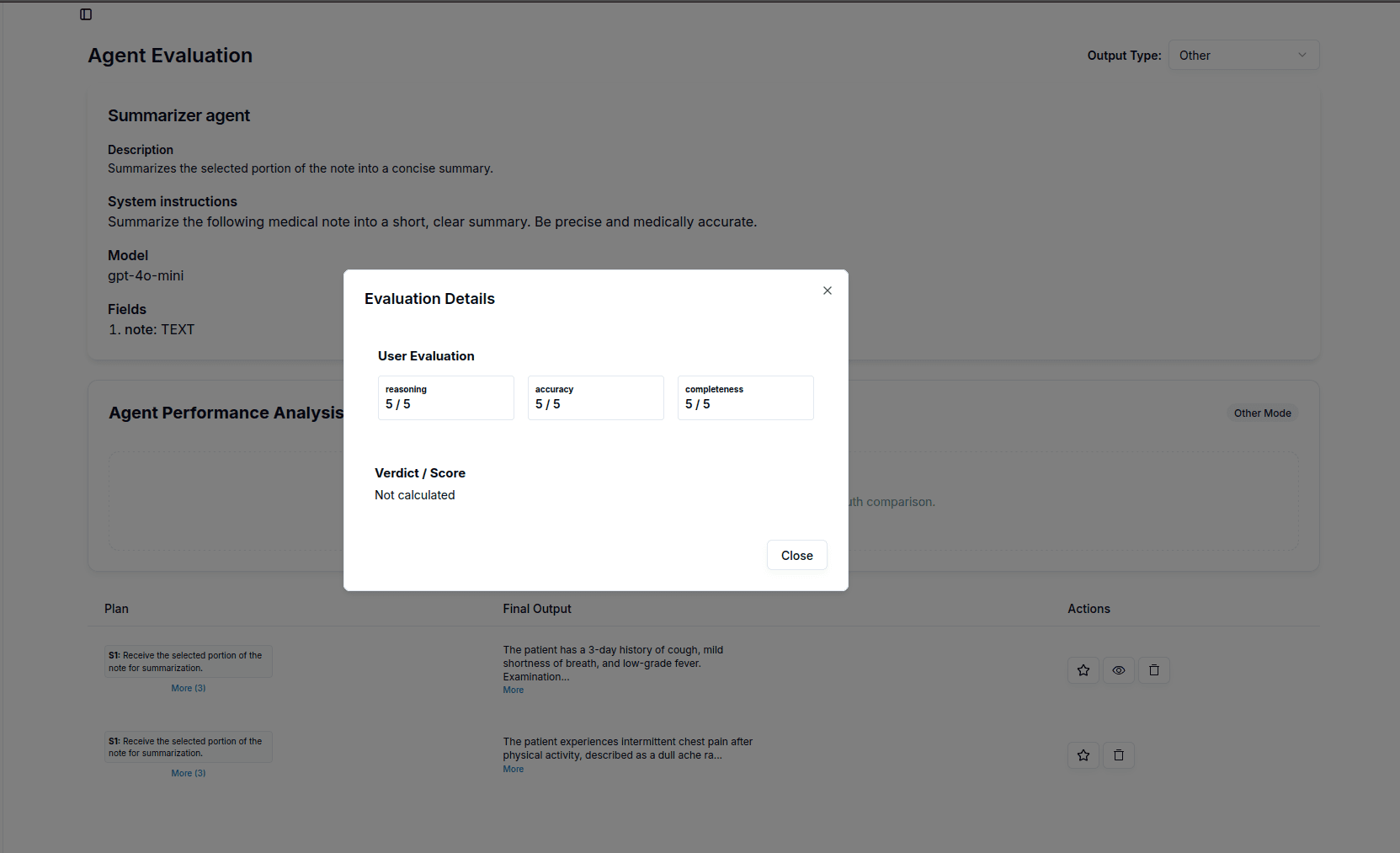
-
Follow step 12 for all the agent calls that you want to evaluate.
-
You will see a detailed evaluation report as below:
