Getting Started
Create an account
To create an account, head over to medbot.me/login . You have the option to create your account using an email address and a password, or log-in using a Google account.
Onboarding
Upon sign-up (or first log-in using a Google account), you will be presented with an onboarding setup. Here, you can customize your profile before you start using Medbot. You can
(1) Confirm you email address and name.
(2) Confirm your country and professional background.
(3) Select default clinical notes to import.
(4) Select default agents to load.
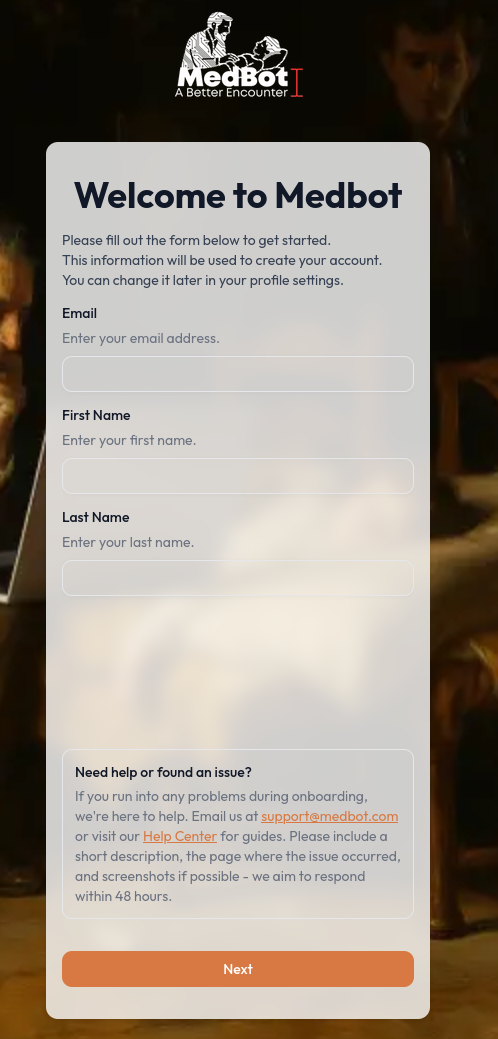 1. Onboarding - Basic Details
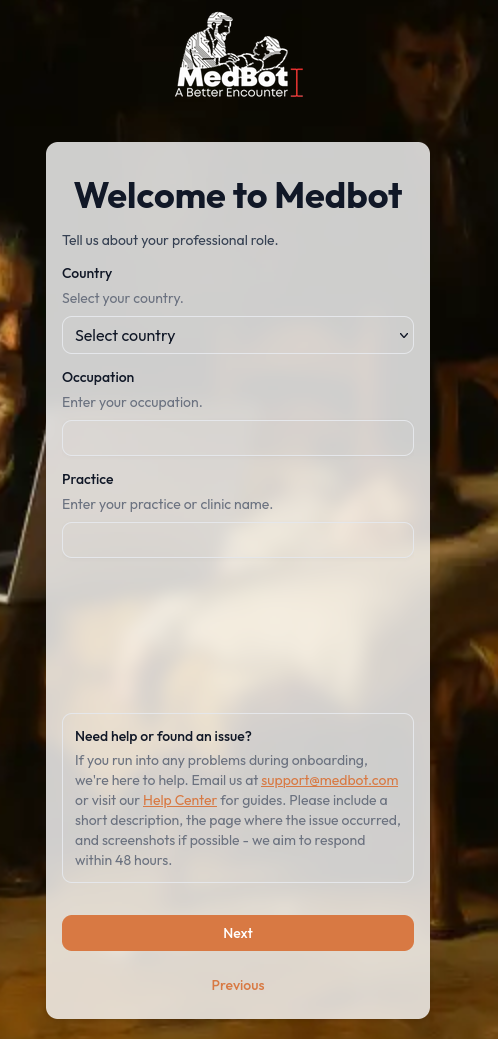 2. Onboarding - Professional Details
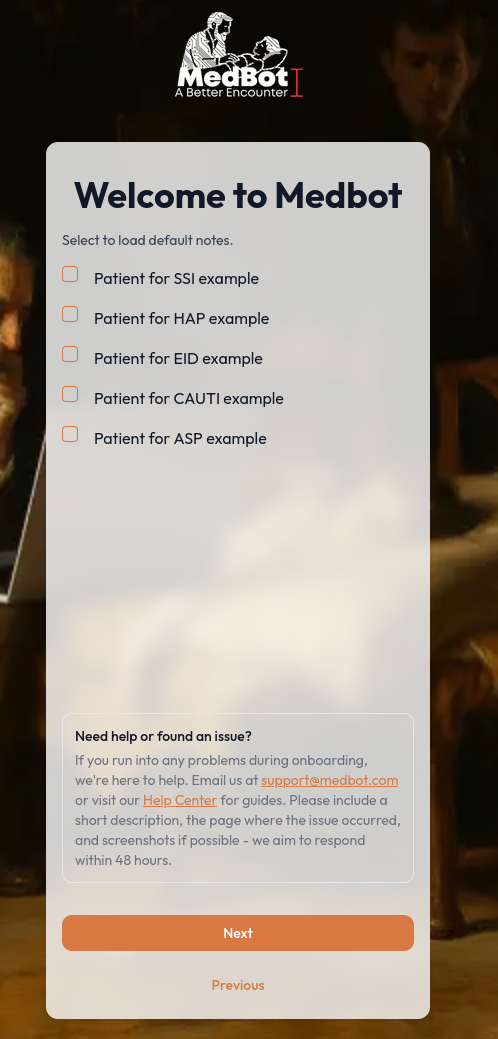 3. Onboarding - Import Default Notes
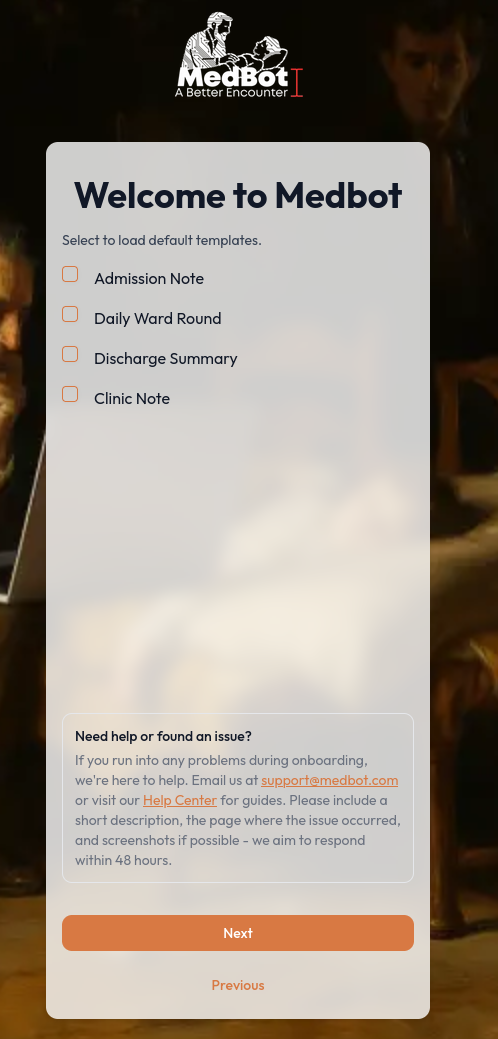 4. Onboarding - Load Default Agents
Once you finish onboarding, you will be redirected to the workspace and you can start using Medbot right away!
Credits
Finishing onboarding adds a 500-credit signup bonus to your account. Your balance is shown on the Credits Remaining card on Home; select View Usage to open the Usage Dashboard. See AI Usage & Credits.